Work within a project or on its own
Create tasks in a project when they belong to an engagement. Use standalone tasks for internal work that needs ownership without an artificial project wrapper.
Turn broad project plans into manageable assignments, with subtasks, collaboration, and progress that your team can understand.
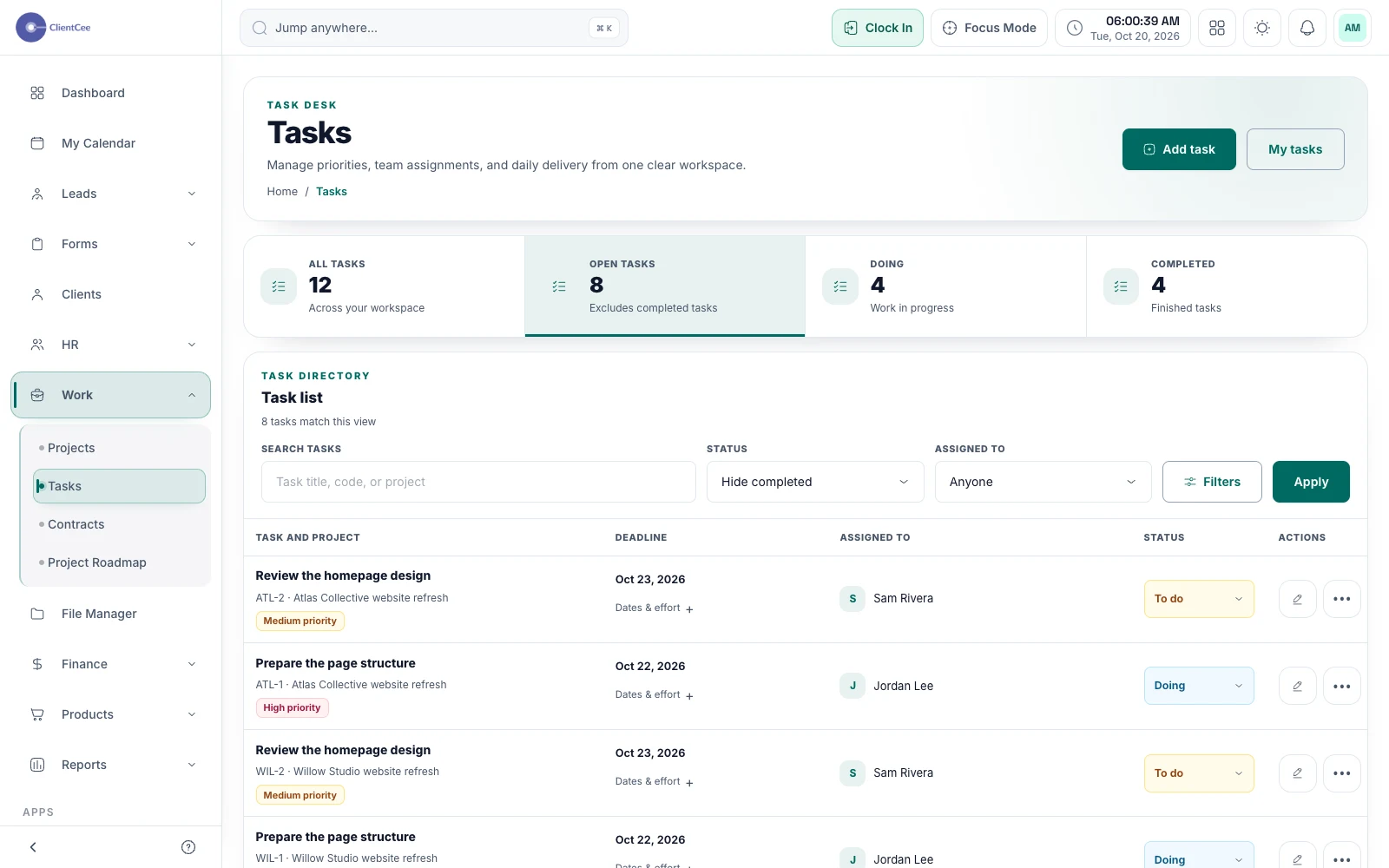
ClientCee supports project tasks and standalone tasks, with assignments, due dates, statuses, subtasks, and collaboration. Agencies can organise delivery work while employees use their task experience to understand and update the assignments available to them.
Inside the feature
Create tasks in a project when they belong to an engagement. Use standalone tasks for internal work that needs ownership without an artificial project wrapper.
Use due dates, labels, categories, subtasks, and task details to clarify the assignment. Break down an outcome when a single vague title would leave the team guessing.
Update task states and use collaboration and approval actions. Keep the completion or review decision distinct from a comment that merely discusses the work.
A practical workflow
Name the task so the assignee understands what a useful completion looks like.
Choose the responsible person, set the due date, and add subtasks or context where they help.
Record progress or a blocker, then follow your team's completion and approval process.
Instead of a task called Website, create a specific outcome such as Prepare the first page structure for internal review. Add the source material and expected reviewer. A short, actionable assignment is easier for an employee to evaluate than a large label with no starting point.
Agency operations include recurring internal responsibilities and one-off follow-ups that do not always belong to a client project. Standalone tasks let you give that work an owner while keeping the project list focused on actual engagements.
Common questions
Yes. ClientCee supports standalone tasks as well as tasks created within a project. Use the option that matches the responsibility you are organising.
ClientCee includes subtask creation and update paths. Use subtasks for concrete parts of an assignment while keeping the main task's outcome understandable.
A comment records a conversation. Use the applicable status or approval action when your process requires a completion decision, so the next person can distinguish discussion from review.
Keep the work connected
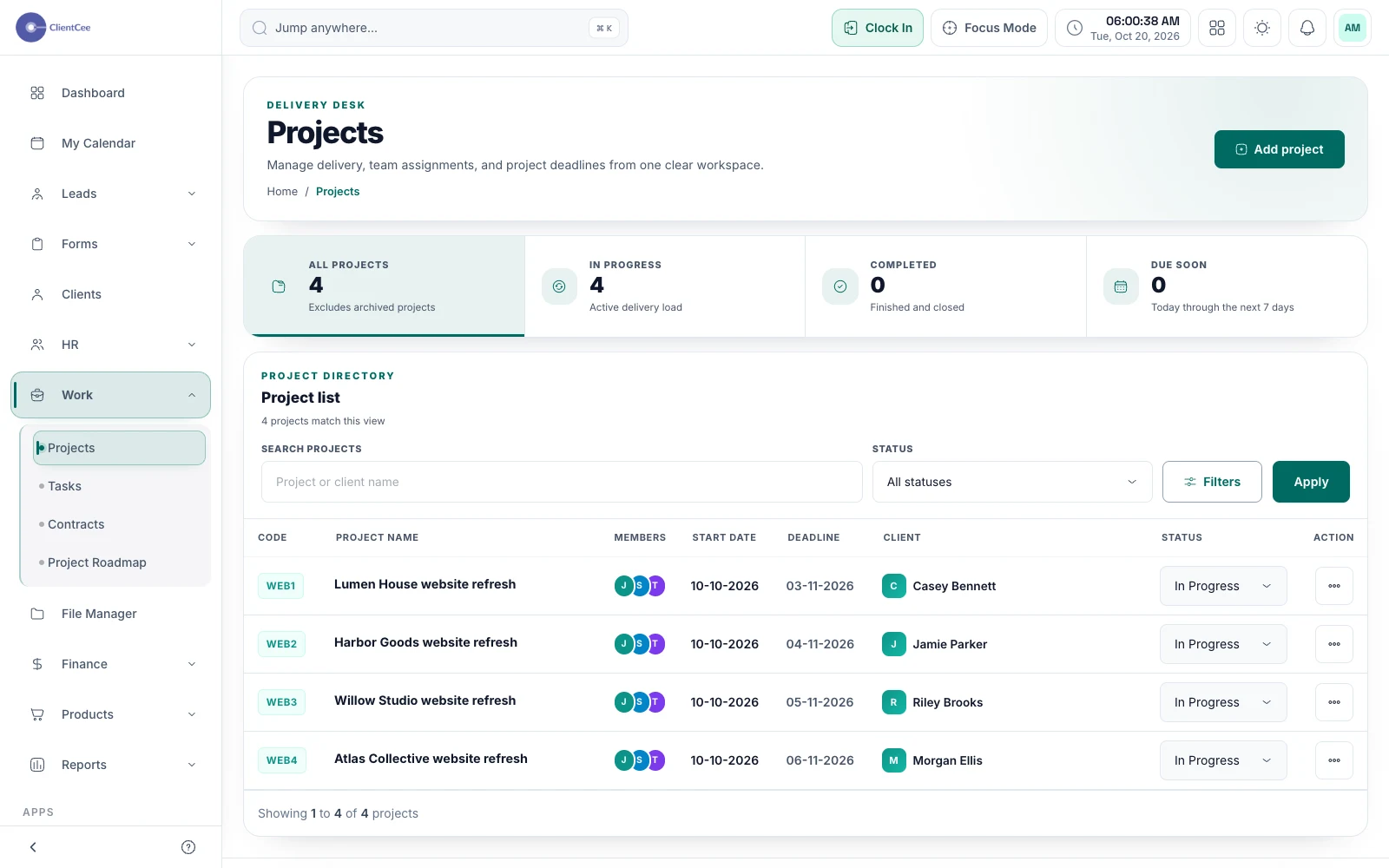
Connect the engagement, the people doing the work, and the tasks that need attention, with a clearer view for your agency and its clients.
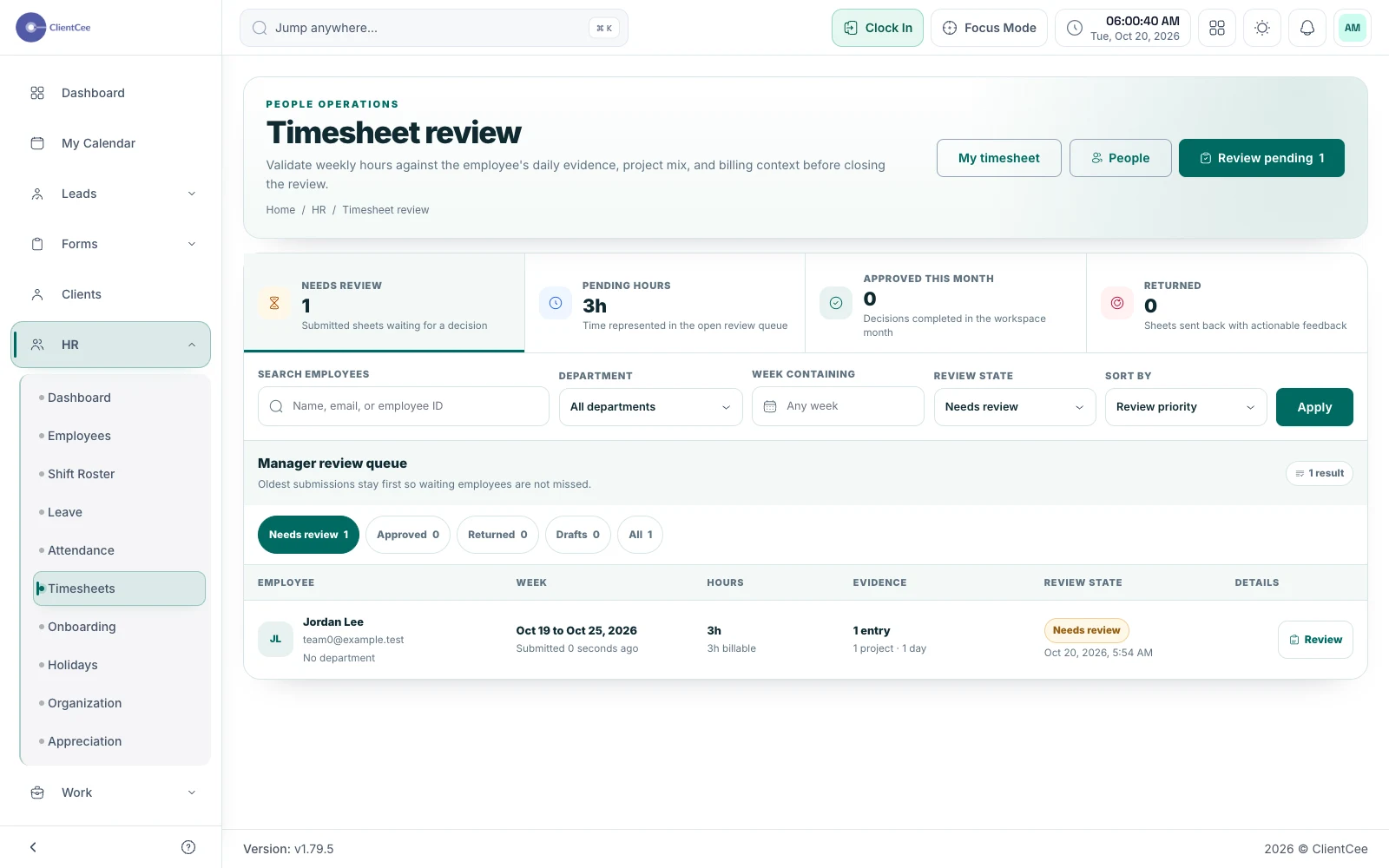
Give the team a place to record effort and give the reviewer enough context to understand it, without confusing a time entry with an invoice.
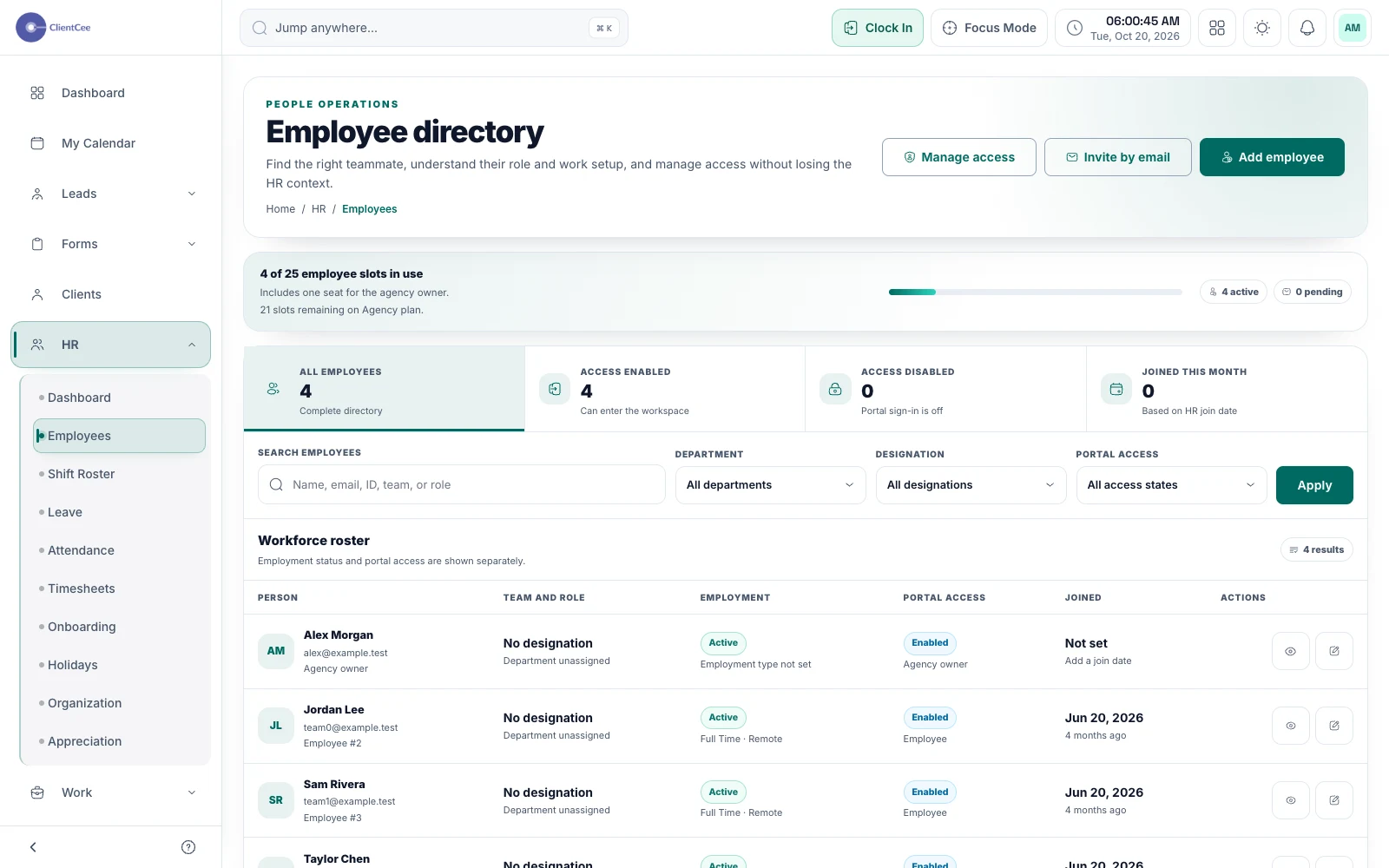
Bring employee information and day-to-day team workflows into the agency workspace, with access suited to each person's responsibilities.
Put it into practice
From project kickoff to invoice: a clearer agency workflowPractical planning tools
Agency team capacity calculator