In this guide
The short answer
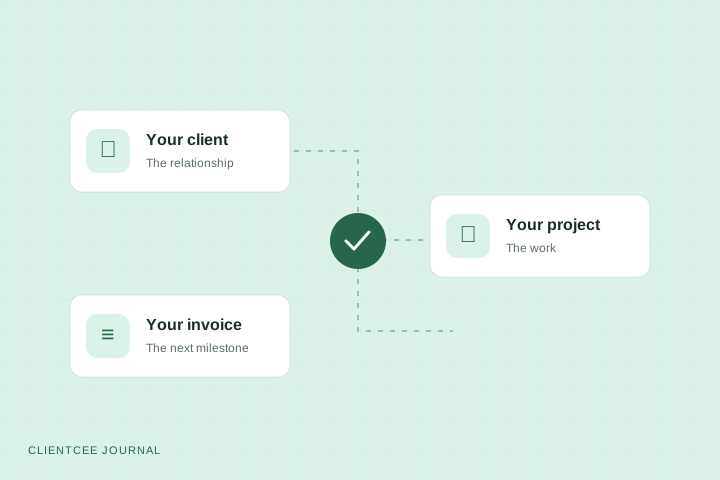
A project-to-invoice workflow connects agreed scope, assigned work, client reviews, billing checks, invoicing, and payment follow-up. Each stage needs an owner, a record of the decision, and a condition that tells the next person when to act.
Delivery and billing can look organised separately while the handoff between them remains unclear. A project manager knows a milestone is finished. Finance is waiting for confirmation. The client receives a late invoice and asks what it covers.
A shared workflow makes those decisions visible. The aim is to help the next person act with enough context, using the commercial terms your agency has actually agreed.
What is a project-to-invoice workflow?
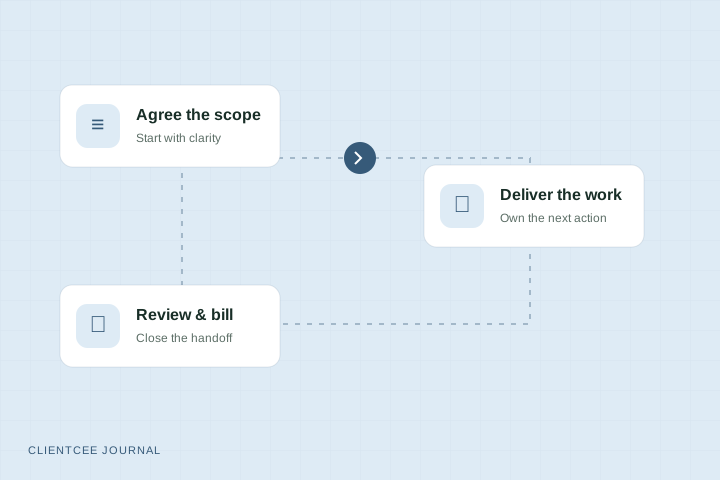
A project-to-invoice workflow is the sequence that moves an engagement from agreed work to delivery, review, invoicing, and payment follow-up. It connects operational records with commercial decisions.
The workflow does not mean every completed task should generate an invoice. Your agreement determines what is billable and when. A task status, client approval, invoice issue, and payment are different events and should remain distinguishable.
Map the handoffs before adding automation
For every stage, answer four questions: who owns it, what information they need, what they record, and what lets the next stage begin. This exposes gaps before you turn them into a template or an automated rule.
| Stage | Typical owner | Record to keep | Handoff condition |
|---|---|---|---|
| Agreed scope | Account owner | Approved scope and commercial terms | Delivery understands the commitment |
| Project setup | Project manager | Milestones, tasks, owners, dates | The team can start the next task |
| Delivery | Assigned team member | Progress, files, blockers | Work is ready for the agreed review |
| Client review | Project manager and client approver | Decision and requested changes | The required decision is recorded |
| Billing check | Finance owner | Invoice details and supporting reference | The invoice matches the agreement |
| Invoice and follow-up | Finance owner | Issued invoice, due date, payment status | The balance is settled or the exception has an owner |
These roles are a starting point. In a small agency, one person may own several stages. The handoff still needs to be explicit.
Step 1: Make the commercial commitment findable
Keep the approved scope connected to the client and project context. Note the deliverables, agreed review arrangement, and billing schedule. If the engagement changes, record what was agreed rather than letting a message thread become the only source.
Before kickoff, ask someone outside the sales conversation to find the first milestone and its billing condition. If they cannot, the handoff needs more work. The client onboarding checklist covers this starting point in detail.
Step 2: Set up delivery around clear outcomes
Break the work into milestones your client and team can understand. Give each task an owner and a realistic due date. Distinguish the internal work needed to prepare a deliverable from the client-facing review of that deliverable.
For an illustrative website engagement, research and page planning may be internal tasks, while “review the proposed page structure” is a client action. Completing research does not by itself mean the client has approved the page structure.
Step 3: Record reviews and scope changes
When work is ready for review, make the request specific. State what the client is reviewing, what decision you need, who should respond, and where to leave the response.
If feedback changes the agreed scope, capture the impact and seek the required agreement before proceeding. Keep the original deliverable, the decision, and the next action distinguishable. Avoid treating silence as approval unless your applicable agreement and process support it.
Step 4: Give finance a useful billing handoff
Send finance the billing trigger, the scope reference, the client billing details, and any approved changes that affect the amount. For work billed by time, include the reviewed time records your process requires. For a fixed fee, use the agreed milestone or schedule.
A practical handoff note can be short:
Milestone: page structure review. Decision: approved by the named client contact. Billing basis: the milestone in the approved agreement. Supporting record: the review decision. Finance owner: assigned. Open issue: confirm the purchase order reference before issuing.
This example is a template, not evidence of a real client project. Adapt its fields to your billing process.
Step 5: Review the invoice before sending
Check the recipient, description, amounts, currency, due date, and the supporting scope reference. Resolve any open issue that would make the invoice misleading or incomplete. Use the invoice requirements that apply to your business and its customers.
Separate preparation from sending if your agency needs a second review. A project marked complete should not bypass that check simply because the work is done.
Step 6: Keep payment status separate from delivery status
After issuing, track the invoice's due date and payment record. Assign someone to handle questions and follow-up. An invoice that has been sent is not necessarily paid, and a delayed payment does not describe the delivery team's progress.
If a client disputes part of an invoice, record the specific issue and owner. Keep the next action visible rather than repeatedly sending the same generic reminder.
A weekly exception review
Review a small set of questions with your project and finance owners:
- Which reviews are waiting for a client decision?
- Which completed milestones need a billing check?
- Which invoices need missing information before they can be issued?
- Which overdue balances have an unresolved question?
- Which scope changes need a commercial decision?
The purpose is to surface work that has no clear next step. Do not turn the meeting into a reading of every task on every project.
Running the process in ClientCee
Before agreeing the fee, use the agency project profitability calculator to check planned effort and included costs. For ongoing monthly delivery, the retainer pricing calculator estimates a fee from monthly costs and a chosen margin. These are planning scenarios, not an automatic CRM budget or client agreement.
ClientCee includes client, project, task, estimate, invoice and payment records, alongside client-facing review and billing experiences. Use those records to keep the handoff context within your agency workspace.
The workflow described here is an operating process. It does not claim ClientCee automatically converts every approval into an invoice or runs every follow-up without setup. Check the modules and features available in your chosen plan, then test your real workflow before relying on it.
Common workflow questions
Should an invoice be created when a project is completed?
Use the billing condition in the agreement. Some engagements are billed in advance, some by milestones, and others by a recurring schedule or reviewed time. Project completion is only one possible trigger.
Who should approve a billing handoff?
Choose the person with enough context to confirm the billing condition, then have the finance owner review the invoice details. Define the responsibility in your own process so that it does not depend on whoever notices first.
How do we reduce duplicate entry?
Keep one reference for the client, approved scope, and review decision, and make it available to the next owner. When evaluating an agency CRM, test whether those connections are usable in practice rather than assuming every handoff is automated.
Published by ClientCee. See how these guides are prepared.