In this guide
The short answer
An agency client portal is a controlled workspace where clients see information shared with them and complete relevant actions. Start with project status, review requests, shared files, and billing records, while keeping internal notes and other clients' information private.
A client portal is useful when a client opens it and immediately understands what is happening and what they need to do. Simply giving clients another login does not achieve that.
For an agency, the design question is practical: which information and decisions belong in a shared workspace, and which should stay with the internal team?
What is an agency client portal?
An agency client portal is a workspace that gives clients controlled access to information and actions relevant to their relationship with an agency. Depending on the product and setup, that can include projects, files, review requests, agreements, invoices, and support conversations.
Your internal CRM contains a wider business view. The portal should present the relevant client view of that work. It should not require a client to learn your internal sales stages, employee workflow, or reporting structure.
Start with four client questions
Organise the experience around what a client is likely to ask:
- What is happening with my project?
- Is there anything waiting for me?
- Where are the files and decisions we have shared?
- What do I need to know about billing?
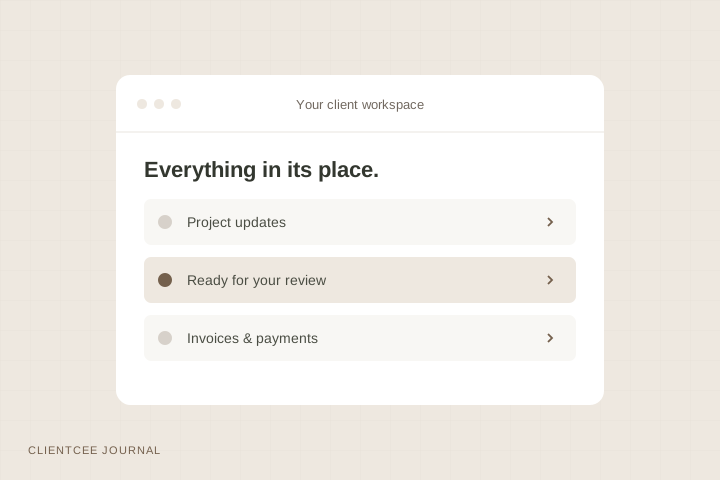
These questions are a useful starting point for navigation and onboarding. They also give you a way to evaluate the portal with a real test account instead of judging it only from an agency dashboard.
What should an agency portal include?
A clear view of current work
Show the project name, an understandable status, and the next milestone or action where your system supports it. Explain unfamiliar terms in your update. A status label such as “in progress” needs context if the client is waiting to understand what happens next.
Specific requests for a decision
Separate a routine update from a review request. Identify the deliverable, what the client should assess, and how to respond. Where the system supports review decisions, keep the response with the work so the agency can find it later.
Shared files with useful context
Use clear names and explain which version needs attention. A folder full of similarly named files shifts the burden of interpretation to the client. Identify the current item and make older versions distinguishable if they remain accessible.
Understandable billing information
Help the client find relevant invoices and payment information. Describe the engagement or milestone clearly enough that the invoice makes sense alongside the project. Payment methods and availability depend on the platform, provider, and agency setup.
A way to ask for help
Tell the client where project questions and support requests belong. Explain what happens after they submit a request and who will coordinate the response. Do not promise an instant answer unless your team can deliver one.
What should stay private?
Treat the client experience as an access boundary. Internal notes, employee information, unrelated contacts, and other clients' records should not become visible just because they are part of the same agency workspace.
Before inviting a real client, use a test account and review the following:
| Test | Expected outcome |
|---|---|
| Open the client's project list | Only records intended for that client are available |
| Follow a shared file or document link | Access matches the intended sharing rules |
| Open a review request | The right client can respond to the intended item |
| Inspect billing records | The client sees only their relevant records |
| Try a bookmarked or copied internal URL | The application still enforces access checks |
| Sign out and reopen a private page | Authentication or the intended private-link rule applies |
Do not treat a hidden menu item as proof of access control. The underlying page and action need to enforce the same boundary. Your organisation should test its configured roles and sharing process before rollout.
How to introduce the portal to a client
Introduce the portal during onboarding and give the client one useful first action. That could be opening the project overview or reviewing a shared document. Use the same place for subsequent relevant updates so the habit is consistent.
A concise introduction might say:
You can find the project updates and shared documents in your ClientCee workspace. Please open the current review request and send your consolidated response there. If you have a question about access, contact your agency project owner.
This is sample wording. Adjust it to match the features you have enabled and the action you are actually requesting.
Avoid moving every conversation at once. Start with the types of updates and decisions that benefit most from a shared record. Keep an agreed alternative for a client who cannot access the portal and record the resulting decision in your internal process.
Measure whether the portal helps
Ask clients to complete a few ordinary tasks: find the latest update, identify a pending request, and locate an invoice. Watch where they hesitate. This gives you concrete feedback about labels, navigation, and instructions.
You can also record questions your team receives repeatedly. If clients continue asking where to find the latest file, improve the file naming or introduction rather than simply reminding them to log in. These are evaluation methods, not claimed performance results.
The ClientCee client experience
The ClientCee client portal sits alongside its agency and employee panels. It includes client-facing project information, shared documents, estimates and contracts, deliverable reviews, invoices, payments, and support requests, subject to the workspace's modules and permissions.
Use the portal as part of a defined process. A shared review decision still needs an agency owner to act on it. The project-to-invoice workflow explains how that decision connects to delivery and billing without assuming the whole handoff is automatic.
Common client portal questions
Does a portal replace email?
It can provide a consistent place for shared information and certain actions. Email may still be useful for notifications and conversations. Agree where decisions are recorded so that the final answer is findable even when several channels are used.
Should clients see internal tasks?
Share only the information your process and permissions intend them to see. Clients usually need a clear view of progress and their actions, rather than every internal working note. Check your platform's actual visibility controls.
What is the most useful first portal feature?
Start with the recurring client question that creates the most confusion in your agency. A clear project update, a specific review request, or a well-organised shared document can each be a useful first step. Evaluate it with the people who will use it.
Published by ClientCee. See how these guides are prepared.