Pipelines that reflect your sales process
Organise leads with configurable pipelines and stages. Use names your team understands, from a new enquiry through the decisions that lead to an agreed engagement.
Keep enquiries, pipeline stages, and follow-up dates together, so your next client conversation starts with the right context.
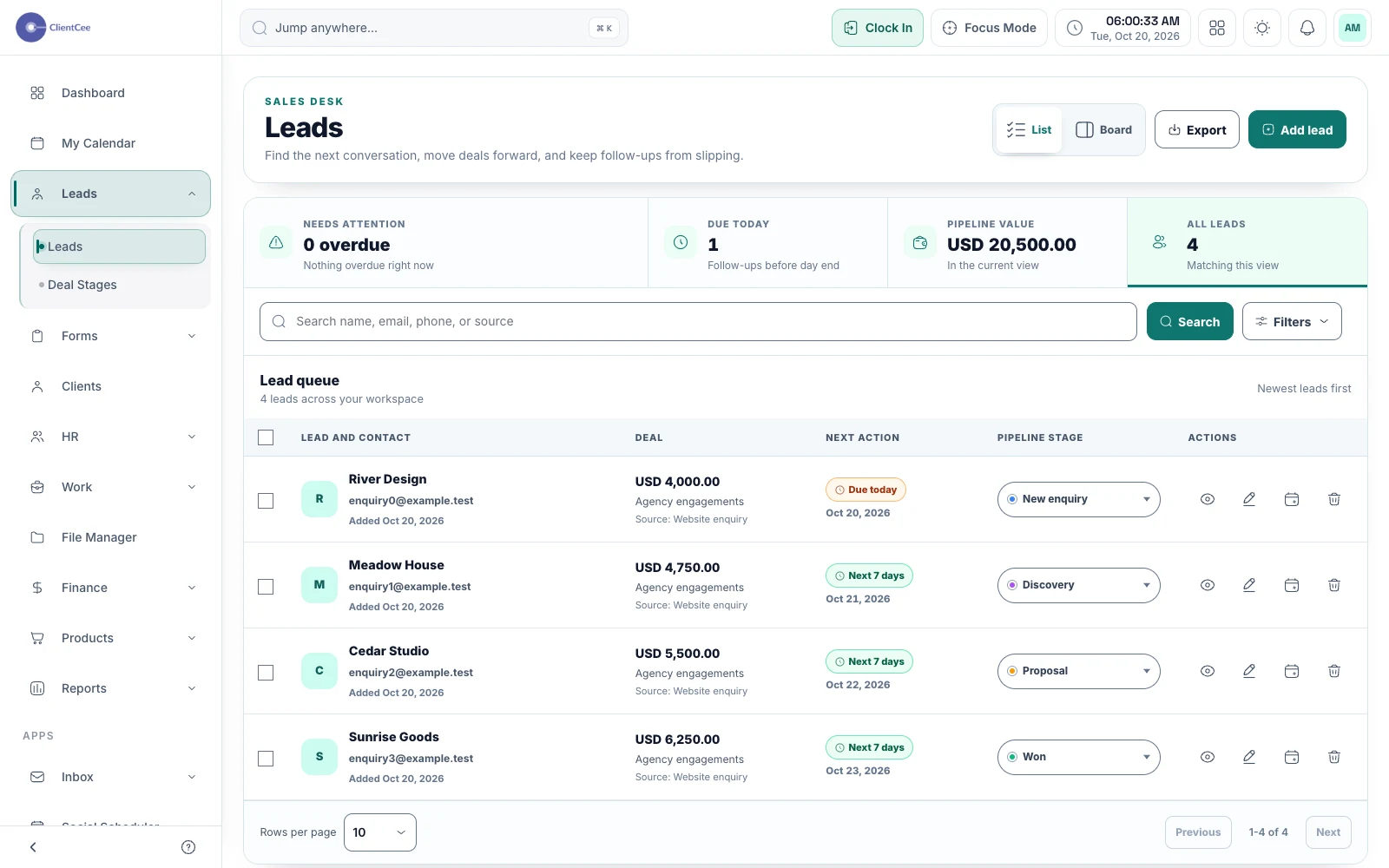
ClientCee's lead management helps agencies organise opportunities by pipeline, stage, source, and next follow-up. Use the lead directory and pipeline context to review open enquiries, spot overdue follow-ups, and decide which conversation needs attention next.
Inside the feature
Organise leads with configurable pipelines and stages. Use names your team understands, from a new enquiry through the decisions that lead to an agreed engagement.
Record the next follow-up and filter for due or overdue activity. A visible date helps your team coordinate the next conversation without treating a record as an automatic outreach campaign.
Keep a lead's source and value with its record. Search, filter, and export the directory when you need to review the opportunities your agency is working on.
A practical workflow
Add the prospect and the context needed to understand what they are asking your agency to deliver.
Place the opportunity in the appropriate pipeline and record a practical next conversation date.
Check due follow-ups, update the lead after a conversation, and prepare the relevant commercial next step.
A prospect may be waiting for an initial call, a clearer brief, or a revised estimate. Those are different situations. Use stage and follow-up information to make the next action understandable rather than keeping every opportunity under a generic open label.
ClientCee's form submissions can be reviewed and converted to leads through the submission workflow. Review the enquiry first, then add the context and follow-up your sales process needs. A submission does not by itself prove that an opportunity is qualified.
Common questions
ClientCee includes configurable pipelines and stages. Use separate pipelines when your services require meaningfully different sales processes, rather than duplicating stages without a clear reason.
The lead directory supports follow-up filtering, including due and overdue records. Keep the next follow-up date current after a conversation so the review remains useful.
The form submission workflow includes a convert-to-lead action. Review the response and use that action when the enquiry belongs in your sales process.
Keep the work connected
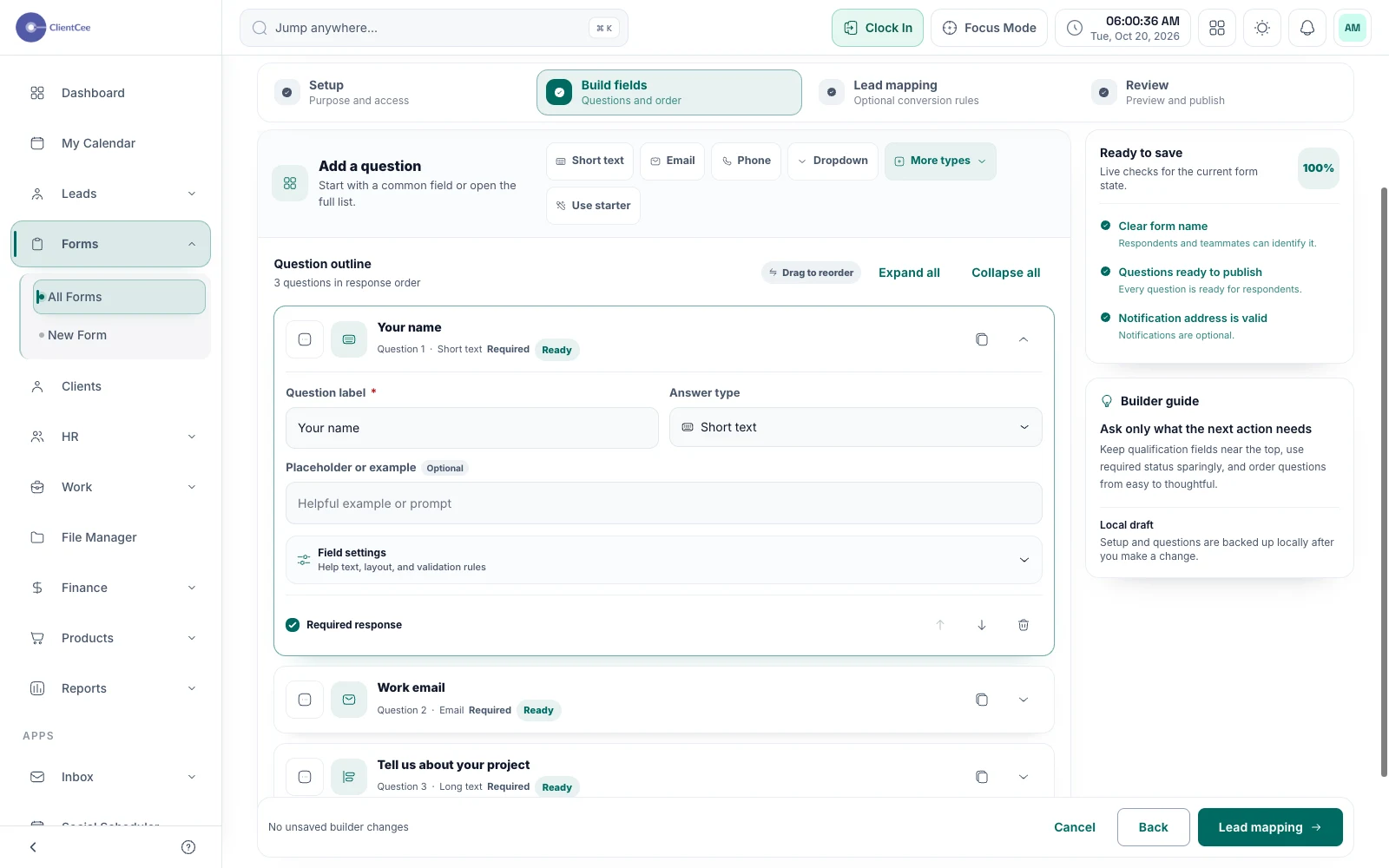
Collect the information your agency needs, review responses in one place, and move the right enquiries into your lead workflow.
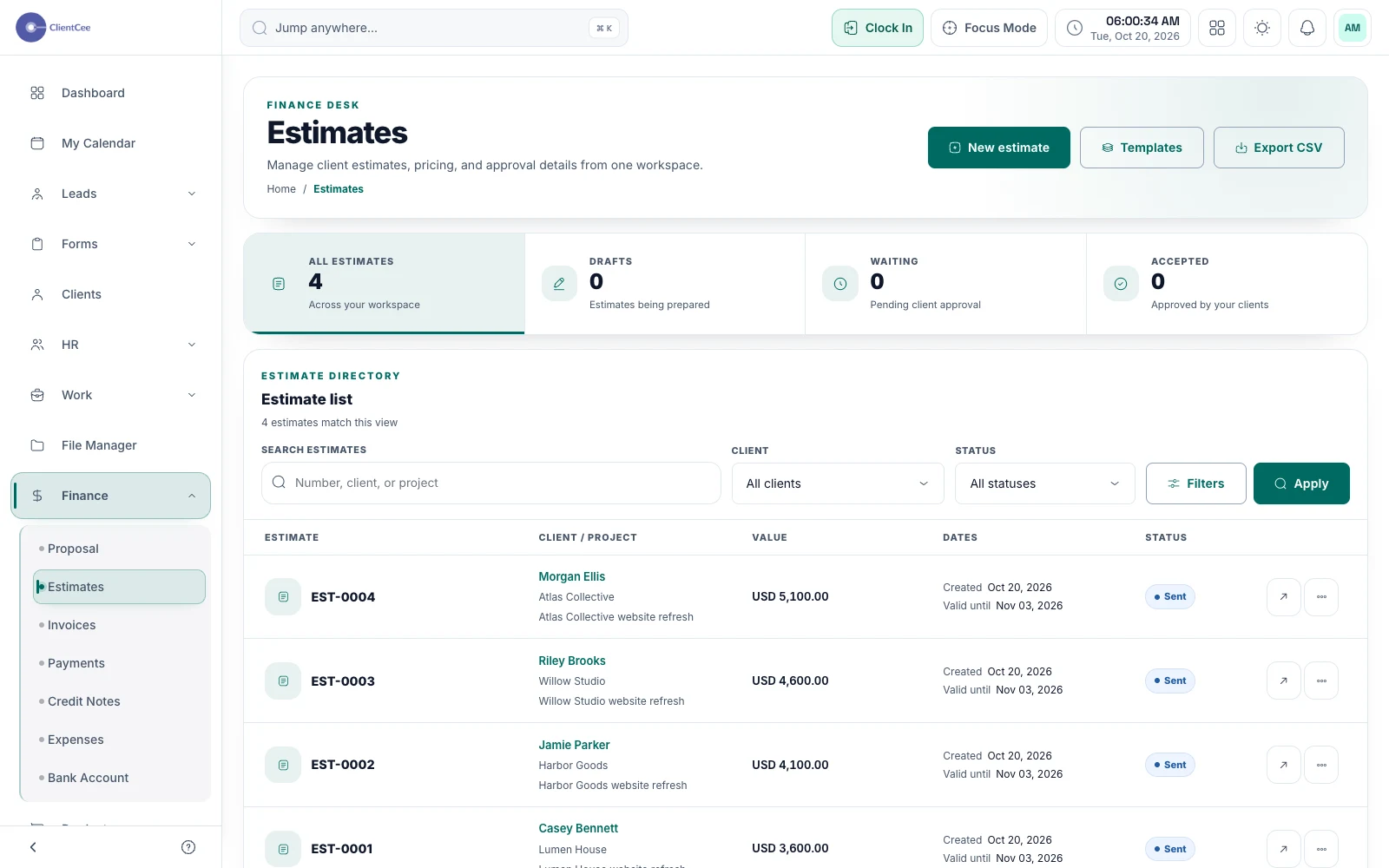
Prepare a clear offer, share it with the client, and keep the decision with the commercial record your team needs next.
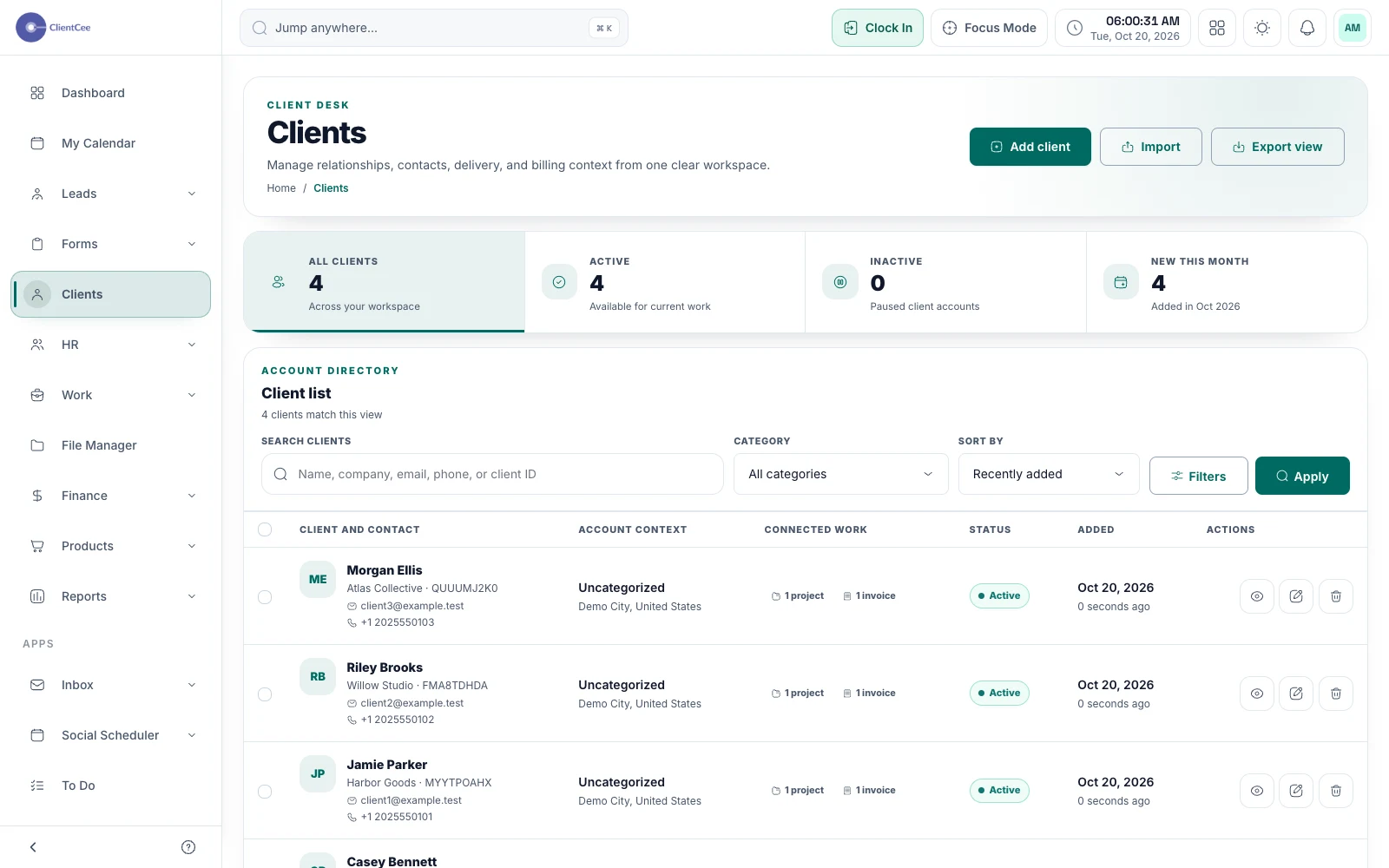
Give your agency a shared place for client information, then follow the relationship into projects, commercial records, and the client portal.
Put it into practice
How to choose a CRM for your agency