A consistent expense record
Record the expense details your agency needs to review. Keep the amount and description understandable instead of leaving the cost only in an informal message.
Bring expense records into the same workspace as your client work, so costs have a reference when your team reviews the engagement.
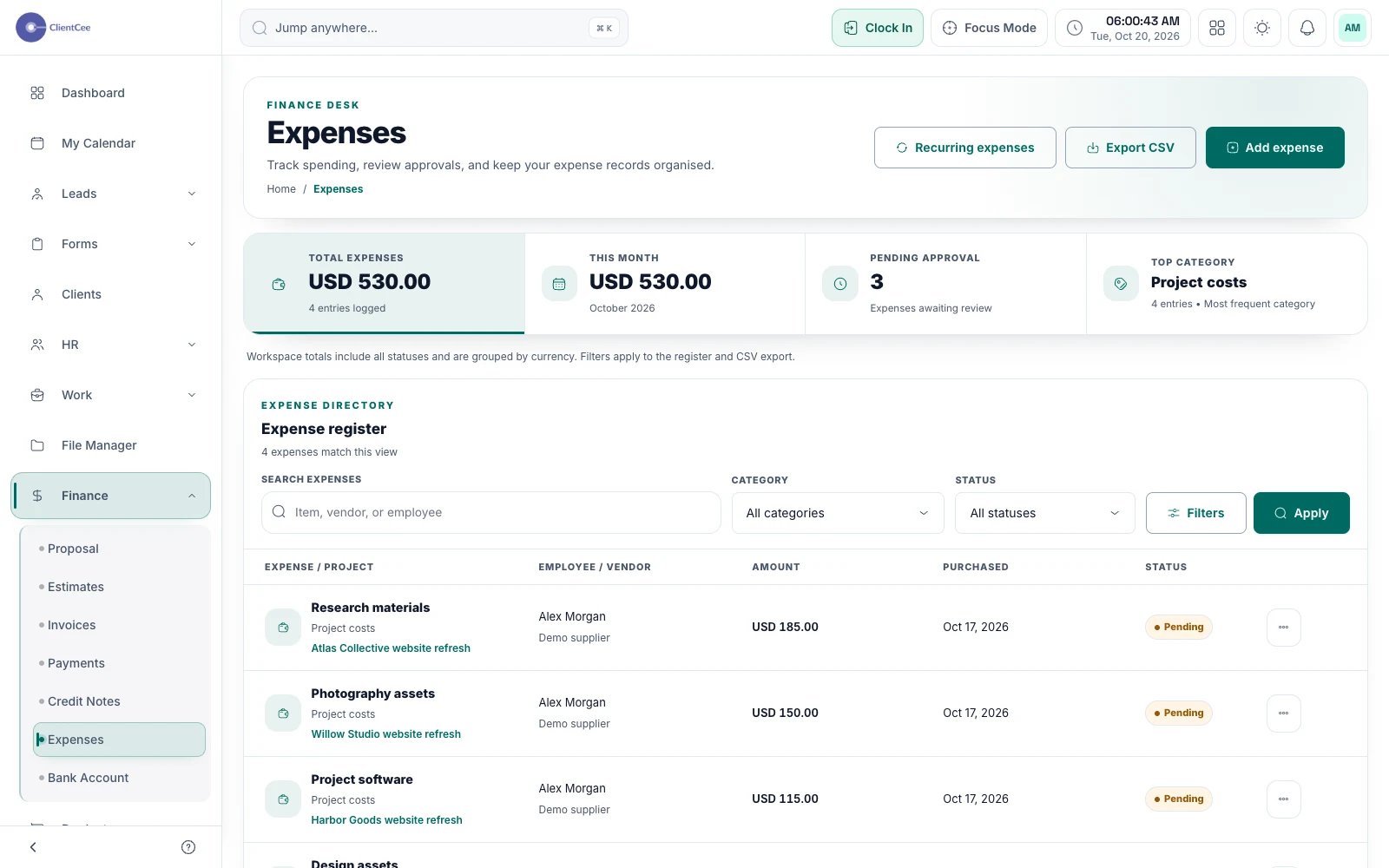
ClientCee's expense management lets agencies record expenses and organise their supporting context, including project-linked expenses where applicable. The CRM also includes expense status controls and recurring expense tools for supported workflows.
Inside the feature
Record the expense details your agency needs to review. Keep the amount and description understandable instead of leaving the cost only in an informal message.
Use project-linked expense creation for costs that belong to an engagement. Keep general agency costs distinct from an expense associated with a particular client's work.
Use the available status and recurring expense workflows when they match your process. Review the current record and configuration rather than assuming a recurring record has completed a bank payment.
A practical workflow
Add the expense information and the supporting context your reviewer needs.
Associate the relevant project when the cost belongs to an engagement, or keep it as a general business expense.
Use the applicable status and reporting view to identify questions and keep the information current.
A client engagement may involve an external asset or a service used for that delivery. Recording the expense with a clear description and appropriate project reference gives the reviewer a better starting point. Whether the cost can be billed back depends on your agreement and invoicing process.
A repeating agency cost benefits from a consistent record, but its amount or arrangement can change. Review recurring expense configuration when a service changes and keep the supporting information accurate. A scheduled record is not evidence that a financial transaction has settled.
Common questions
ClientCee supports expense creation in project context. Use that association when the cost belongs to a specific engagement and retain enough detail to explain it.
An expense record documents a cost. Do not treat creating or updating it as proof that a bank payment has been made or settled.
Do not assume that recording an expense creates a client charge. Review the agreement and use the appropriate invoice process if the cost should be included in client billing.
Keep the work connected
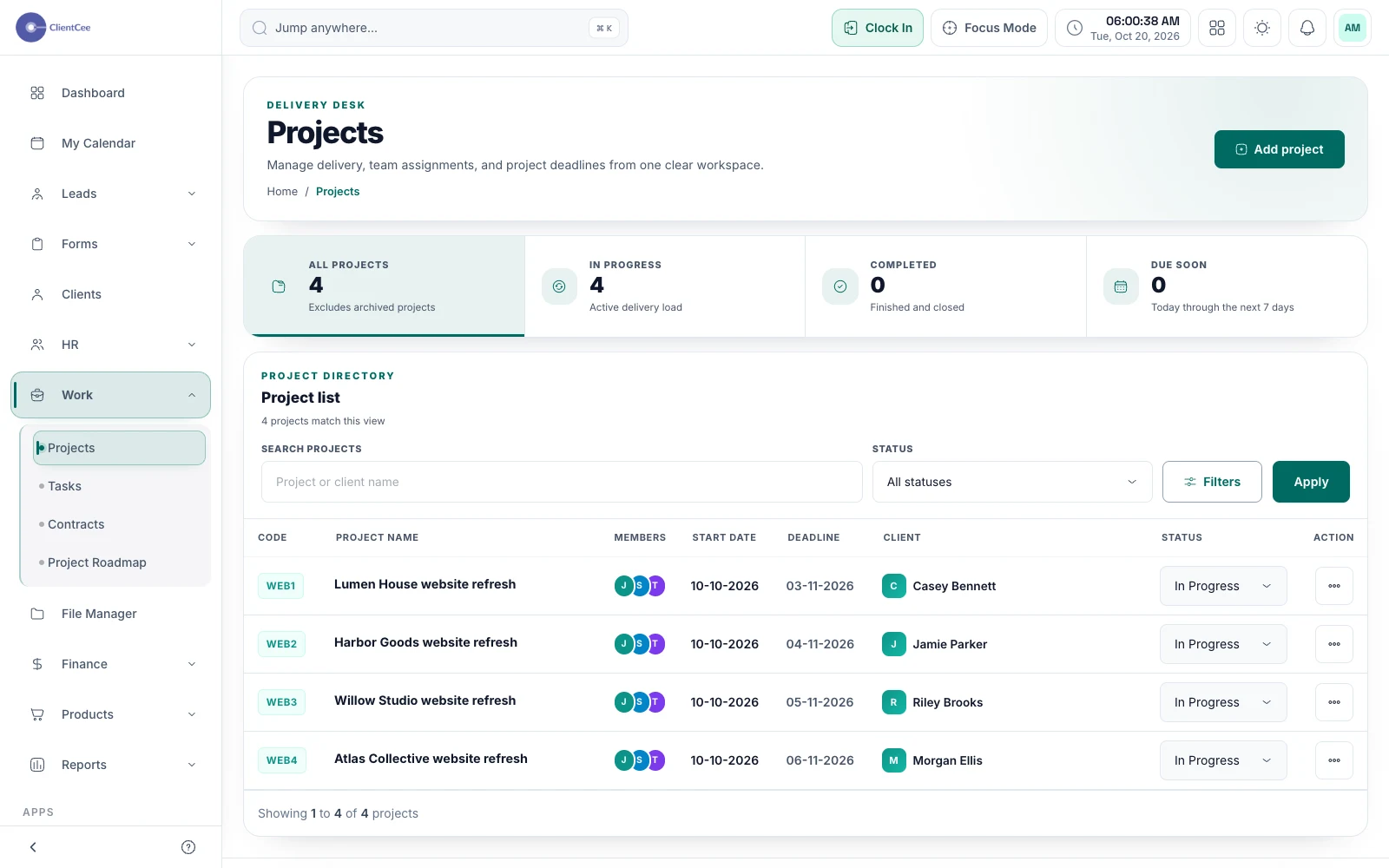
Connect the engagement, the people doing the work, and the tasks that need attention, with a clearer view for your agency and its clients.
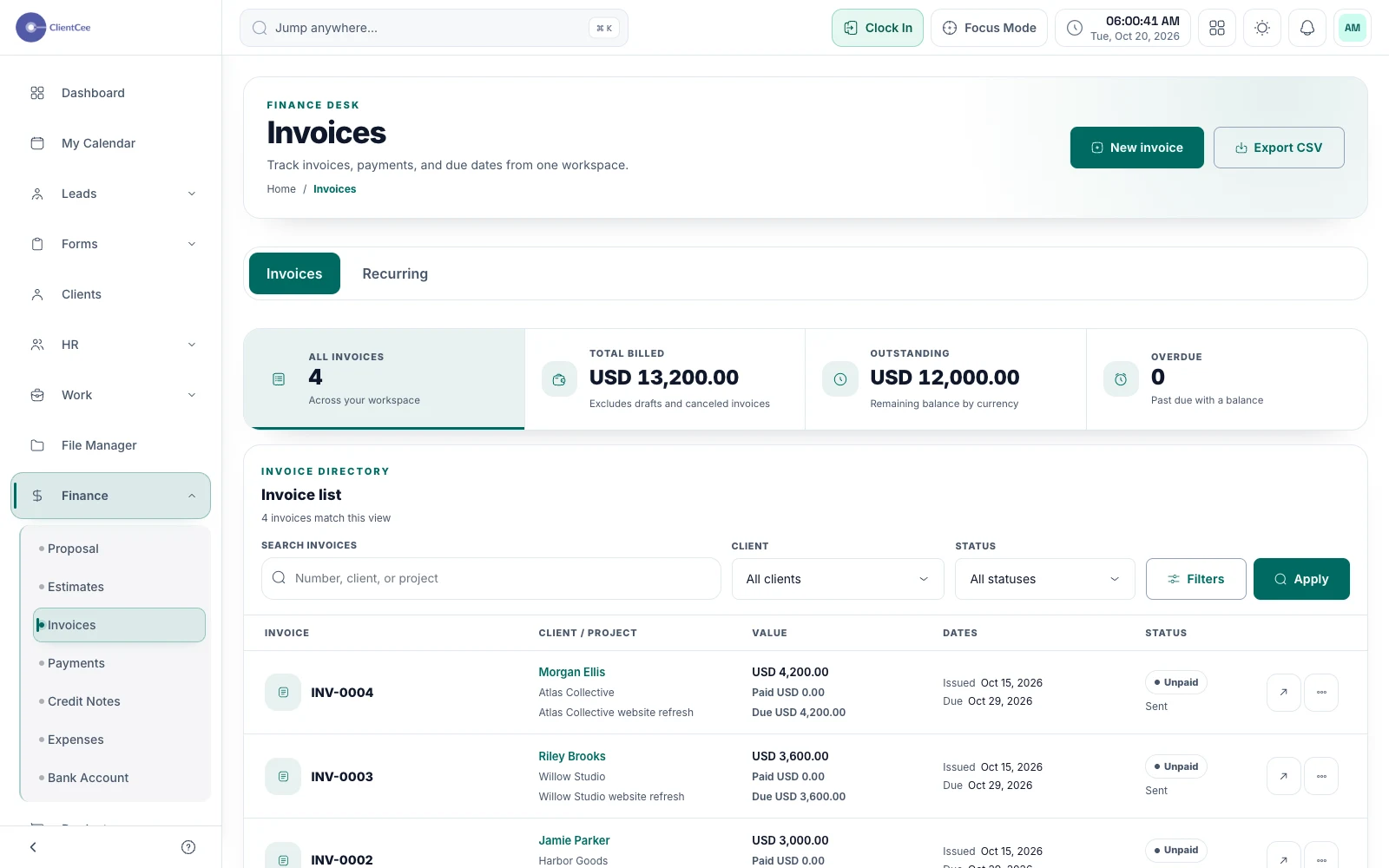
Prepare the invoice, offer the configured payment options, and keep the amount due and payment record visible to the people responsible for billing.
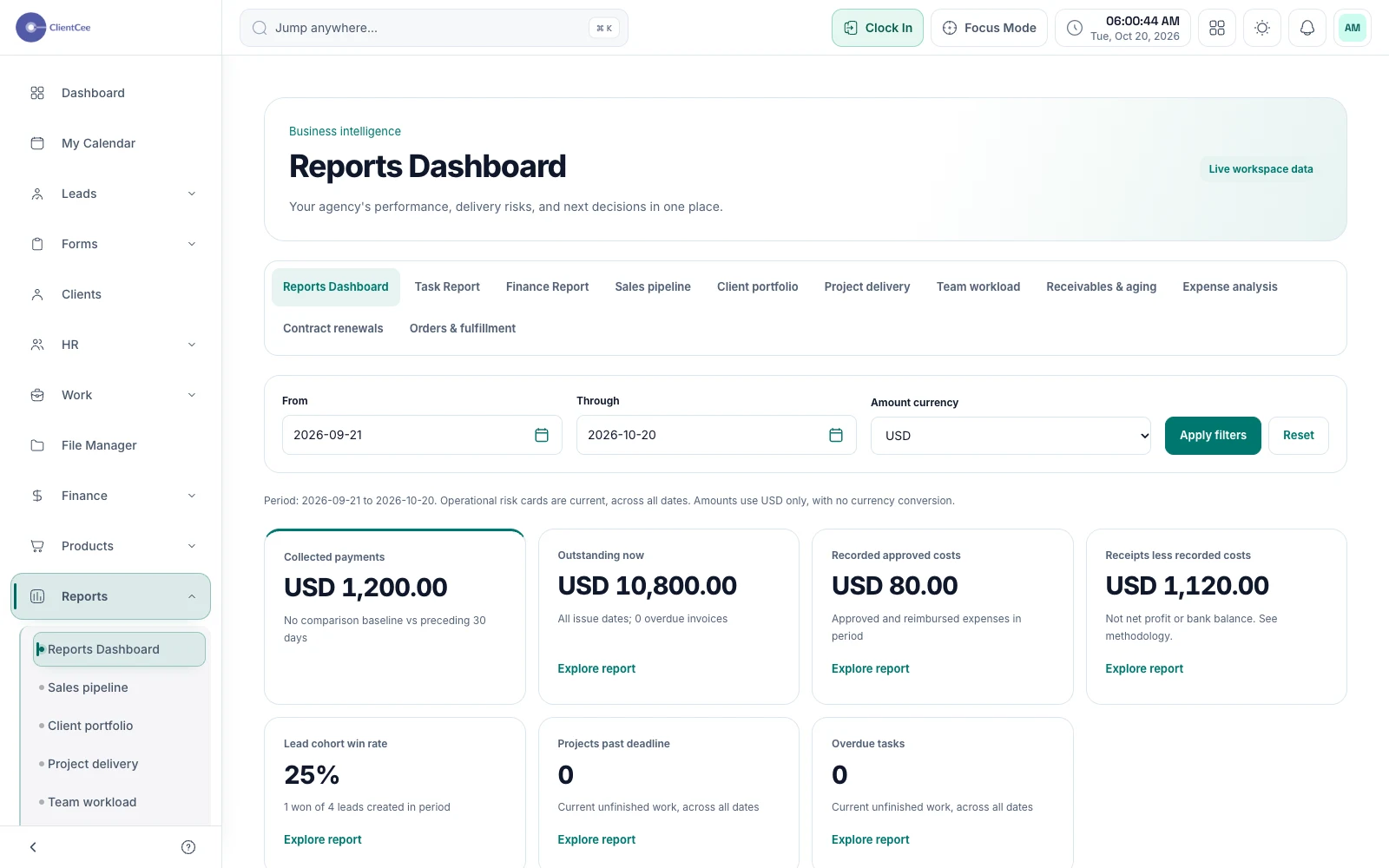
Move from a headline number to the records behind it, with business reports and dashboards built around the agency information in your workspace.
Put it into practice
From project kickoff to invoice: a clearer agency workflowPractical planning tools
Agency project profitability calculator